
Chase Removed Two Credit Card Alerts: What Cardholders Should Do Now
Jun 30, 2026
Chase’s new credit card alert change is officially live.
And if you depended on those online purchase or international charge alerts, your phone may feel strangely quiet now.
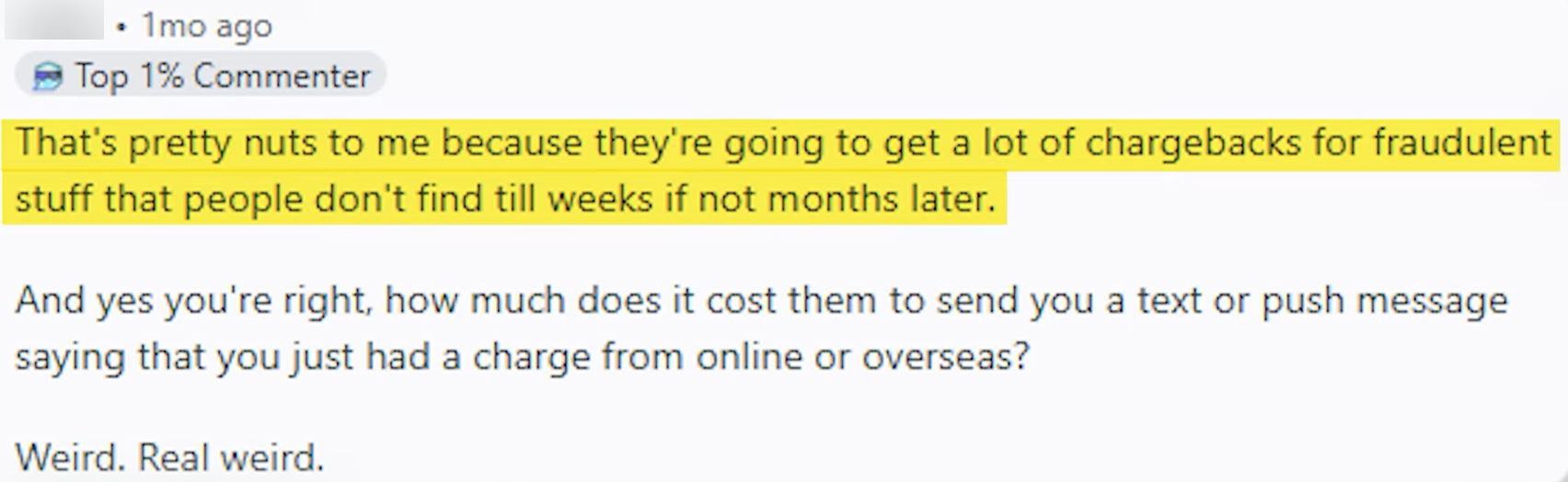
That is not your imagination.
Chase ended two specific credit card alert types on February 17, 2026:
-
Online, phone, or mail charge authorized
-
International charge posted
That has a lot of cardholders irritated.
And I get why.
Because for many people, these alerts were not just “nice to have.”
They were a fraud early-warning system.
The kind of alert that could catch a weird $0.86 test charge before it turns into a much bigger problem.
Quick Answer
Chase removed two credit card alert types: online, phone, or mail charge authorized and international charge posted. Chase says fraud monitoring is still active and it can still contact you if suspicious activity is detected, but customers who relied on those specific alerts now need a replacement strategy. The best workaround is to set a transaction alert for charges over a very low amount, such as $0.01 or $1.00, then choose push notification or text so you actually see it.
Disclosure: This article may contain affiliate links, which means I may earn compensation if you click or apply through certain links.
Helpful resource: Before applying for another card, my Free Credit Card & Loan Pre-Approval Master List can help you compare soft-pull pre-approval options before risking another hard inquiry.
What Changed With Chase Credit Card Alerts?
Chase removed two alert types that many cardholders used for fraud monitoring:
Online, phone, or mail charge authorized
This alerted you when your card was used without being physically swiped, tapped, or inserted.
That includes many online, phone, mail-order, and card-not-present transactions.
International charge posted
This alerted you when an international charge posted to your card.
For travelers, this was useful.
For people worried about foreign fraud attempts, it was even more useful.
Now those alerts are gone.
Chase did not turn off fraud monitoring.
That part is important.
Chase still says it monitors accounts for fraud and can contact you if it detects unusual activity.
But that is not the same as giving you a custom alert every time an online or international transaction happens.
That is the downgrade.
Why People Are Mad
The frustration is pretty simple.
A lot of fraud starts small.
People have seen the pattern before:
-
A random $0.86 charge
-
A weird $1.00 test transaction
-
A small online authorization
-
A strange international charge
-
Then a much bigger charge later
That first tiny transaction may be the warning sign.
The whole point of online and international alerts was not just catching the $500 fraud charge.
It was catching the small test charge before the bigger hit came through.
So when Chase removes those targeted alerts, people feel like they lost control.
Not because Chase stopped all fraud protection.
But because Chase removed a tool that helped customers catch things themselves.
Chase Fraud Monitoring Is Not the Same as Your Own Alerts
Banks have fraud systems.
That is good.
But bank fraud systems are not perfect.
They are reactive.
They use patterns.
They look for unusual activity.
They do not always know what is unusual for your life.
A $14 online charge might look normal to the system.
But if you know you did not make it, that alert matters.
A small international test charge might not immediately trigger a major fraud block.
But if you see it instantly, you can lock the card, call Chase, and stop the next charge.
That is the difference.
Fraud monitoring is the bank watching.
Alerts are you watching.
And honestly, nobody watches your money like you do.
Why Statement Review Is Not Enough
Some people say:
“I check my statement every month. I’ll be fine.”
Maybe.
But that is not as strong as it sounds.
Here is why.
A tiny fraudulent charge could post right after your statement closes.
That means it may sit there for three weeks or longer before you review the next statement.
In that time, the fraudster may try more charges.
The card may get used again.
A subscription may be created.
More damage may happen.
And now you are not catching the first sign.
You are cleaning up the mess later.
That is why alerts matter.
They help you catch problems closer to real time.
The Real Downgrade
The real downgrade is not that Chase removed all transaction alerts.
It did not.
The downgrade is that Chase removed the more targeted ones.
A lot of people do not want an alert for every in-person purchase.
They want alerts for the risky stuff:
-
Online purchases
-
Phone purchases
-
Mail-order purchases
-
International charges
-
Card-not-present transactions
-
Weird transactions outside their normal pattern
But now the clean replacement is basically a broader alert.
That means more noise.
And more noise creates a new problem.
People start muting alerts.
And once you mute the alert, the alert is useless.
The Replacement: Set a Low Transaction Alert
The best replacement is to set a transaction alert for charges over a low dollar amount.
For maximum coverage, you can set it to something like:
-
$0.01
-
$1.00
That should catch almost everything.
Online.
In person.
Domestic.
International.
Recurring.
Random test charges.
The downside?
Your phone may light up constantly.
If you use your Chase card a lot, a catch-all alert can get annoying fast.
But if you care about fraud visibility, this is the closest practical replacement.
Push or Text Is Better Than Email
Chase lets customers receive alerts through different delivery methods, including push notification, text, or email.
Personally, I would use push or text for fraud-related alerts.
Email is better than nothing.
But email is easy to ignore.
It gets buried.
You tell yourself you will check it later.
Then later becomes tomorrow.
Then tomorrow becomes next week.
If the goal is catching fraud quickly, use a notification method you actually see.
Push or text is usually better for that.
If You Want Maximum Fraud Protection
If you want the most coverage and do not mind extra notifications, set your alert threshold low.
I would consider:
$0.01 for maximum coverage
or
$1.00 to catch most test charges and real purchases
Then choose push notification or text.
This setup is annoying.
But it is powerful.
You will see almost every charge.
That means if something weird hits your account, you will know quickly.
For people who have already dealt with fraud before, this may be worth the noise.
If You Hate Constant Alerts
If you know you will mute constant alerts, do not set up a system you will ignore.
Build a realistic one.
The best alert is the one you will actually pay attention to.
Here are a few ways to think about it:
If you use the card often for small purchases, a $0.01 alert may drive you crazy.
If most of your normal purchases are $5 to $30, a $1 alert may still catch most fraud testing.
If you only use the card for bigger purchases, a $50 alert may be enough to catch meaningful fraud.
If you travel often, you may want a lower threshold while traveling.
The point is to match the alert to your real behavior.
Do not create an alert system that annoys you into ignoring it.
If You Are Rebuilding Credit or Running Tight Cash Flow
This is the group I worry about most.
If you are rebuilding credit or running tight cash flow, one fraudulent charge can create a chain reaction.
It can lead to:
-
A frozen card
-
Failed autopayments
-
Missed subscriptions
-
Higher utilization
-
Customer service headaches
-
Temporary loss of available credit
-
Stress while you are trying to keep everything moving
For this group, I would rather you be slightly annoyed by alerts than surprised by fraud.
Because when your margin for error is small, early detection matters more.
A small fraudulent charge may not sound like a big deal.
But the account disruption can be a big deal.
If You Travel Internationally
If you use Chase cards while traveling, this alert change matters even more.
The old international charge alert gave you a separate layer of visibility.
Now you may need to create your own version with a lower transaction threshold.
Before traveling, I would:
-
Turn on low transaction alerts
-
Use push or text alerts
-
Add a backup card from another issuer
-
Keep cards locked when not in use, if practical
-
Monitor transactions daily
-
Save Chase contact information before leaving
-
Make sure your phone can receive alerts abroad
Do not wait until you are overseas to realize your alert setup is weak.
Daily Transaction Checks Are Still Worth It
Even with alerts set up, do a quick daily scan.
Not a deep audit.
Just 30 seconds.
Open the app.
Look at recent transactions.
Make sure everything looks familiar.
That is it.
This habit is boring.
But boring habits protect money.
And if you catch a weird charge the same day it posts, you are in a much better position than if you find it weeks later.
What to Do If You See a Weird Charge
If you see a transaction you do not recognize, move fast.
First, do not ignore it because it is small.
Small charges can be test charges.
Second, check whether it could be a renamed merchant, subscription, family purchase, or pending authorization.
Third, if it still looks wrong, lock the card if that option is available.
Fourth, contact Chase through the official app, website, or phone number on the back of your card.
Do not click random links in texts or emails claiming to be Chase.
Scammers love fake fraud alerts too.
Go directly to Chase.
Why This Change Feels Bigger Than Two Alerts
This is about more than one Chase setting.
It is about how much responsibility banks are shifting back to customers.
Chase still has fraud monitoring.
But customers lost two targeted controls.
And that means the customer has to rebuild the safety net manually.
That is the part people do not like.
Because the old setup made sense.
Online purchase?
Alert me.
International charge?
Alert me.
That was clean.
Now the replacement is broader and noisier.
It works.
But it is not as elegant.
Banks Are Not Your First Line of Defense
This is the lesson.
Banks matter.
Fraud systems matter.
Alerts matter.
But the first line of defense is still you.
You are the person who knows whether you bought something.
You are the person who knows whether you are traveling.
You are the person who knows whether that random online charge makes sense.
No bank algorithm knows your life better than you do.
So do not outsource all fraud protection to Chase, Amex, Capital One, Citi, or anyone else.
Use the bank’s tools.
But build your own habits too.
My Simple Chase Alert Setup
If I were setting up Chase alerts after this change, I would do something like this:
For cards I use heavily:
-
Transaction alert over $1
-
Push notification or text
-
Daily app scan
For cards I barely use:
-
Transaction alert over $0.01
-
Push notification or text
-
Keep card locked if not needed
For travel cards:
-
Low transaction alert before the trip
-
Push or text alerts
-
Backup card in wallet
-
Daily transaction check while traveling
That gives you a practical system without depending only on Chase’s fraud model.
Frequently Asked Questions
What Chase credit card alerts were removed?
Chase removed two specific credit card alerts starting February 17, 2026: online, phone, or mail charge authorized and international charge posted.
Did Chase turn off fraud monitoring?
No. Chase says fraud monitoring still continues and that it can contact customers if suspicious activity is detected. The change removed two customer-selected alert types, not Chase’s entire fraud monitoring system.
What alert should I use instead?
The closest replacement is a transaction alert for charges over a low amount, such as $0.01 or $1.00. That can catch online, in-person, international, recurring, and test charges, but it may create more notifications.
Should I use text, push, or email alerts?
For fraud visibility, push or text is usually better because you are more likely to see it quickly. Email is still useful, but it is easier to miss or ignore.
Why are small test charges dangerous?
Fraudsters may use small charges to test whether a card works before attempting larger transactions. A small charge can be the early warning sign that your card information has been compromised.
Is checking my statement once a month enough?
It is better than nothing, but it may not catch fraud quickly. A charge posted right after your statement closes can sit unnoticed for weeks. Real-time or near-real-time alerts are stronger.
Conclusion
Chase removing online, phone, mail, and international charge alerts is a real downgrade for people who used those alerts as a fraud early-warning system.
Chase still has fraud monitoring.
But fraud monitoring is not the same as seeing your own transactions in real time.
The fix is not complicated.
Set a low transaction alert.
Use push or text.
Check your transactions daily.
Watch small charges.
And do not assume your monthly statement review is enough.
Because fraud does not always start with a giant charge.
Sometimes it starts with a tiny one.
And catching that tiny charge early can save you a much bigger headache later.