
Capital One Mastercard vs Discover: The Application Path People Are Testing
Jun 26, 2026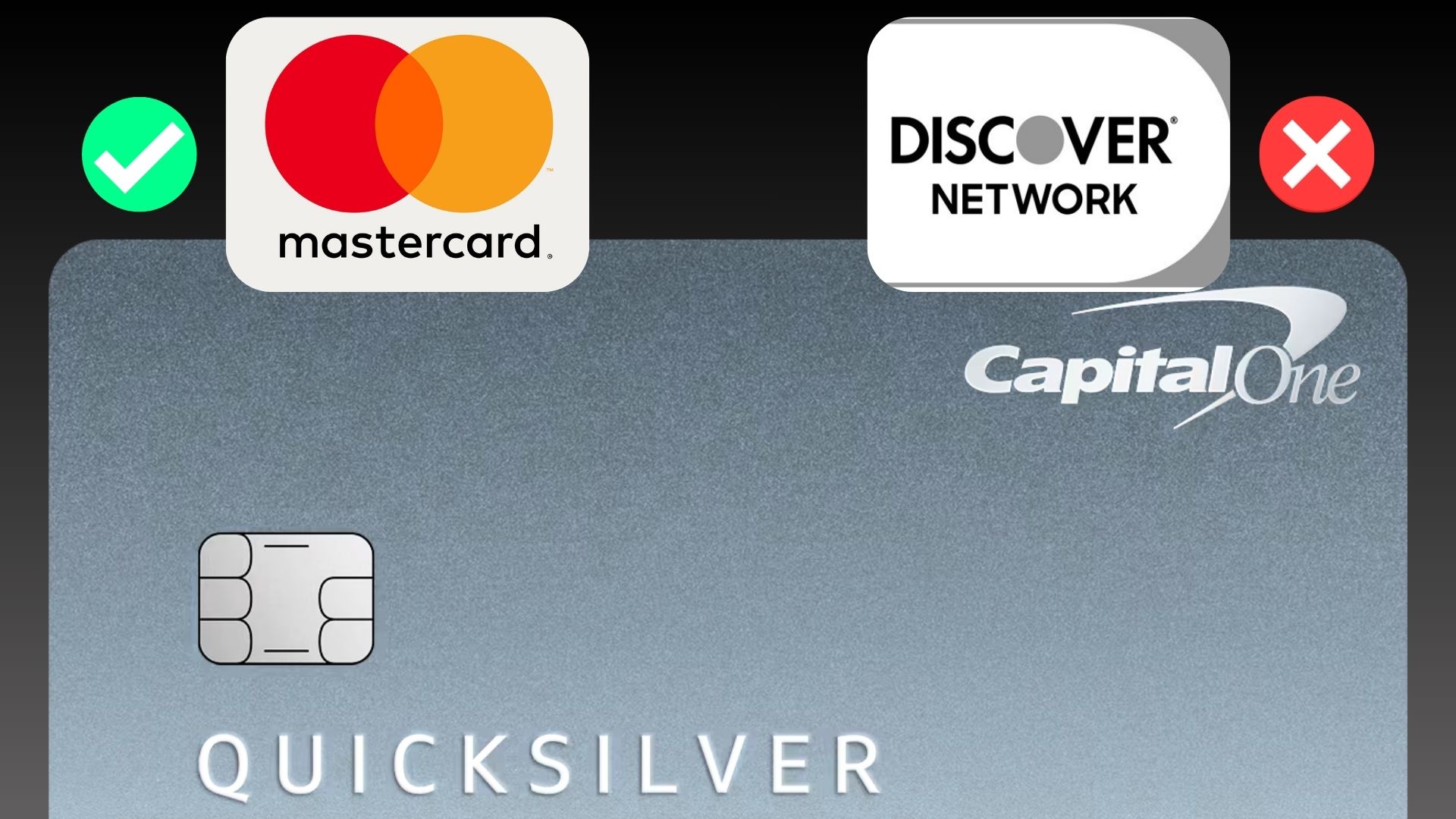
There’s a new Capital One workaround people are testing to try to get a Mastercard version instead of a Discover version.
And honestly, this one is interesting.
Because if it keeps working for some people, it means the path you use to apply may affect the version of the card you’re shown.
That matters more than people think.
Because a Capital One card on Mastercard and a Capital One card on Discover may not feel the same in real life.
Especially if you travel internationally, use certain ATMs, shop at smaller merchants, or want the broader acceptance that usually comes with Visa or Mastercard.
This is not something I would treat as guaranteed.
But after testing the application flow myself, I can confirm there may be differences depending on where you start.
Disclosure: This article may contain affiliate links, which means I may earn compensation if you click or apply through certain links.
Quick Answer
Some Capital One applicants are testing a workaround where they start from Mastercard’s credit card site, find the Capital One card there, and then enter Capital One’s application flow from that path. In some cases, the application language appears different from the standard Capital One path and may reference Visa or Mastercard benefits instead of Discover. This does not guarantee you will receive a Mastercard version, but it suggests the entry point into Capital One’s system may matter.
Why People Care About Mastercard vs Discover
At first, this might sound like a small detail.
Mastercard.
Discover.
Same card rewards, right?
Not exactly.
The payment network can matter a lot in real-world situations.
Especially if you travel.
One data point that stood out involved someone traveling in Istanbul. They were trying to withdraw cash from an ATM, but the machines they wanted to use did not accept Discover.
So they had to use a different ATM that did accept it.
And that ATM reportedly charged an 8% fee.
That is the kind of thing people do not think about until it happens.
You can have the card.
You can have the credit limit.
You can have the rewards.
But if the card is on a network that is not accepted where you need it, suddenly the card is not as useful.
That is why getting pushed onto Discover instead of Mastercard is not just a cosmetic detail.
For some people, it can change how useful the card is.
The Data Point That Started This
The data point that caught my attention involved someone trying to get a Capital One Savor card.
Instead of accepting the standard application path, they went to Mastercard’s website first.
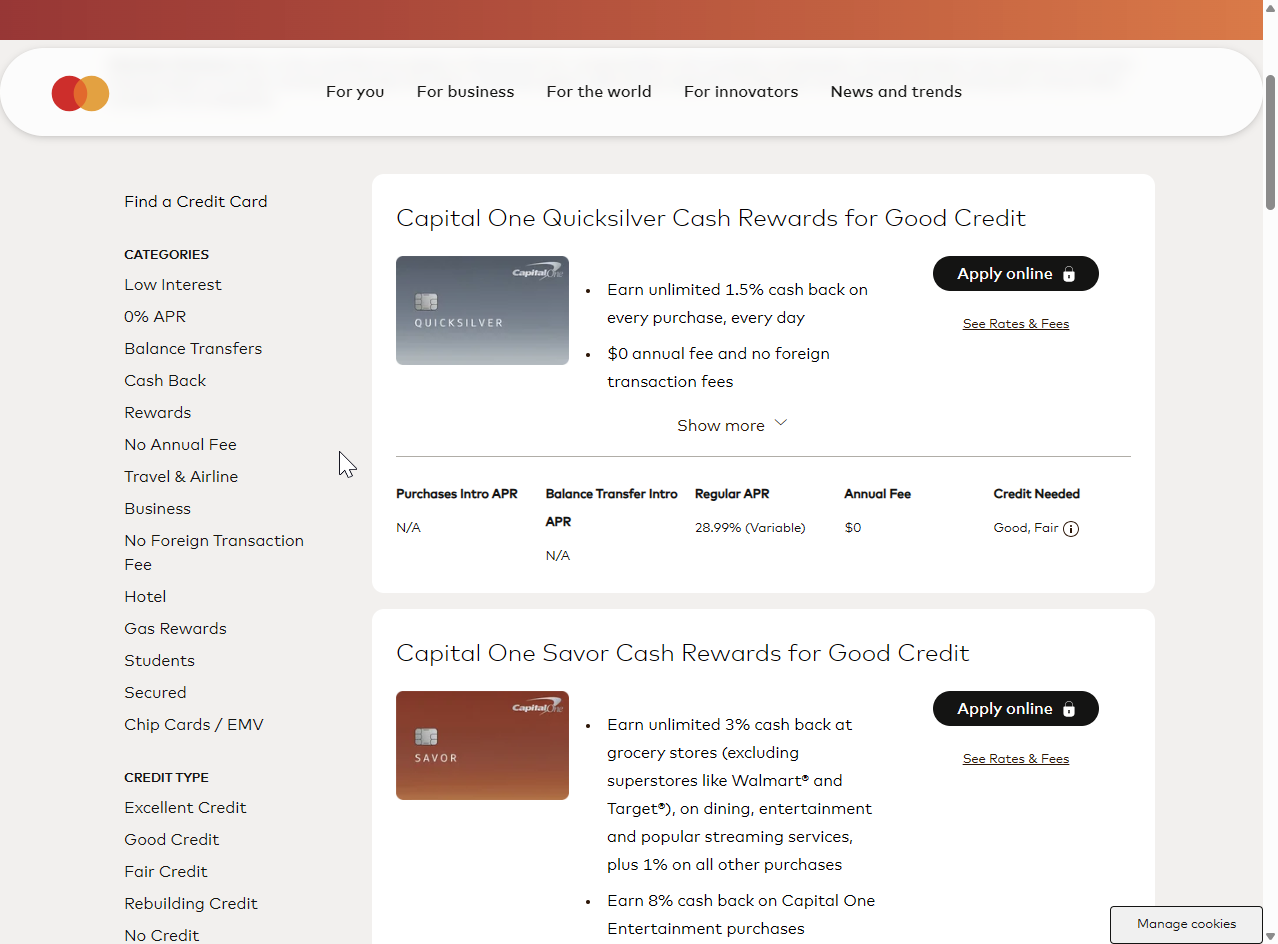
From there, they found the Capital One card and clicked into the application flow.
And according to the data point, that path helped them get the Mastercard version instead of the Discover version.
At first, I thought:
“Interesting, but this could just be a one-off.”
So I tested it myself.
Helpful resource: I’ll keep useful application paths and pre-approval links like this inside my Free Credit Card & Loan Pre-Approval Master List so you can compare options before applying blindly: https://courses.calbartoncashback.com/pre-approval-master-list-Blog
How I Tested the Mastercard Application Path
Here is exactly what I did.
First, I went through the Mastercard site.
Then I:
-
Found Capital One
-
Clicked into the Capital One cards
-
Selected the Savor card
-
Hit apply
That took me into Capital One’s application flow.
I ran the pre-approval from there.
The offers that came back were not the cards I wanted.
I was pre-approved for:
-
Platinum Secured
-
Quicksilver Secured
So the approval result itself was not the interesting part.
The interesting part was the language at the bottom of the page.
In the fine print, it clearly said:
“Travel benefits, except no foreign transaction fees, are provided by Visa or Mastercard.”
No mention of Discover.
That caught my attention.
Then I Tested the Regular Capital One Path
After that, I ran the same pre-approval again.
Same process.
Same inputs.
Same cards came back.
But this time, I started directly from Capital One’s own path.
And this time, the Visa or Mastercard language was gone.
No mention of Visa.
No mention of Mastercard.
Completely different fine print.
That is where this started making more sense to me.
Because the offers were the same, but the application path appeared to show different language.
That suggests Capital One may not be running every applicant through one clean, identical flow.
Capital One Often Has Multiple Application Paths
If you have followed Capital One long enough, this actually makes sense.
Capital One is known for having multiple versions of similar offers, depending on how you enter the system.
I have seen this with:
-
Product upgrade links
-
In-account upgrade offers
-
General pre-approval tools
-
Card-specific pre-approval tools
-
Venture X testing pages
-
Apply with Confidence pages
-
Different landing pages with different language
Same bank.
Different entry points.
Different pages.
Sometimes different outcomes.
That does not mean the entry point always changes the final result.
But it does mean you should not assume every Capital One application path is identical.
What Might Be Happening
Here is the way I look at it.
Capital One may be routing applicants differently based on how they enter the application system.
Not just based on:
-
Credit score
-
Income
-
Profile
-
Existing accounts
-
Internal risk models
But also based on:
-
The page you came from
-
The offer version you clicked
-
The card landing page you used
-
The partner site that referred you
-
The version of the application flow you entered
That may influence the language you see.
It may influence the version of the card being presented.
And in some cases, it may influence whether you are being routed toward a Mastercard, Visa, or Discover version.
Again, this is not guaranteed.
But it is worth paying attention to.
Why This Matters More After the Discover Acquisition
Capital One’s acquisition of Discover changed the conversation.
Before, most people were not worried about Capital One cards suddenly showing up on the Discover network.
But now, cardholders and applicants are paying much closer attention.
Because Capital One owns Discover.
And that creates a natural question:
Will more Capital One cards eventually move onto Discover’s network?
If you mostly use your card inside the United States, that may not bother you much.
Discover acceptance is much stronger domestically than many people think.
But internationally, Mastercard and Visa are still often the safer bet.
That is why a traveler may care a lot about whether their Capital One card is issued on Mastercard instead of Discover.
What I Would Do Before Applying
If you are planning to apply for a Capital One card, I would not blindly use the first application path you see.
I would compare paths first.
For example, you may want to check:
-
Capital One’s direct application page
-
Capital One’s general pre-approval tool
-
Card-specific pre-approval pages
-
Mastercard’s credit card site
-
Any official partner path you are considering
Then compare what changes.
Look at:
-
The card name
-
The payment network language
-
The terms
-
The benefits
-
The fine print
-
The pre-approval result
-
The offer structure
If one path clearly shows Visa or Mastercard language and another path does not, that is worth noting before you move forward.
Do Not Assume This Guarantees a Mastercard
This is the most important warning.
Do not treat this like a guaranteed Mastercard switch.
Just because one person gets a Mastercard version does not mean everyone will.
And just because one application path shows certain language does not mean the final card will always match what people expect.
Capital One can change application flows.
They can change landing pages.
They can change product versions.
They can test different offers.
They can route applicants differently.
And they can update terms at any time.
So I would treat this as a strategy to compare what Capital One is showing you, not a promise that you can force the exact network you want.
Why You Should Save Screenshots
If you are testing multiple application paths, I would save screenshots.
Not because screenshots guarantee anything.
But because they help you document what you were shown before applying.
I would screenshot:
-
The application page
-
The card name
-
The network language
-
The benefits section
-
The fine print
-
The pre-approval result
-
Any terms that mention Visa, Mastercard, or Discover
That way, if something looks different later, you have a record of what you saw.
This is especially important when banks are testing different pages and offers.
My Take
I think this is another example of why Capital One can be so weird.
The bank does not always show everyone the same thing in the same place.
One person sees nothing.
Another sees a product upgrade.
One pre-approval tool shows one set of cards.
Another tool shows something different.
One path may mention Visa or Mastercard.
Another path may not.
That is why I always tell people not to rely on one screen, one page, or one customer service answer with Capital One.
If you are serious about optimizing the outcome, compare the paths.
Because sometimes the path you use can change what you see.
Frequently Asked Questions
Can you choose Mastercard instead of Discover with Capital One?
Not officially in a simple “pick your network” way. But some applicants are testing whether starting from Mastercard’s site before entering Capital One’s application flow may increase the chance of seeing Mastercard-related language or offers.
Does the Mastercard application path guarantee a Mastercard?
No. This should not be treated as a guarantee. It is a data point and a strategy people are testing, but Capital One can still control the final application flow and card version.
Why would I want a Mastercard instead of Discover?
Mastercard may be more widely accepted internationally and at certain merchants or ATMs. Discover works well in many places, especially in the U.S., but some travelers prefer Visa or Mastercard for broader acceptance.
Does Capital One issue cards on Discover now?
Capital One completed its acquisition of Discover, and some cardholders have reported or seen Capital One products being routed toward Discover’s network. The exact card version can depend on the product, application path, and Capital One’s current rollout.
Should I apply through Mastercard’s site?
If you are trying to avoid a Discover-network version, it may be worth comparing Mastercard’s application path against Capital One’s direct path before applying. But you should still read the terms carefully and understand that results are not guaranteed.
What should I check before applying?
Check the card name, benefits, payment network language, fine print, pre-approval result, and any terms that mention Visa, Mastercard, or Discover. If the network matters to you, do not skip the fine print.
Final Thoughts
This Capital One Mastercard vs Discover workaround is not something I would treat as guaranteed.
But it is interesting.
And based on my own testing, different application paths may show different language.
That matters.
Especially now that Capital One owns Discover and more people are watching which network their cards land on.
If you are planning to apply for a Capital One card and you strongly prefer Mastercard over Discover, I would compare the available paths before submitting a full application.
Do not just accept the first screen you see.
Check Capital One directly.
Check the Mastercard path.
Read the fine print.
Save screenshots.
Then make the decision based on what Capital One actually shows you.
Because with Capital One, the entry point can sometimes matter more than people realize.