
Bluevine Business Banking Review: My Real-World Experience After 5 Years
Jun 26, 2026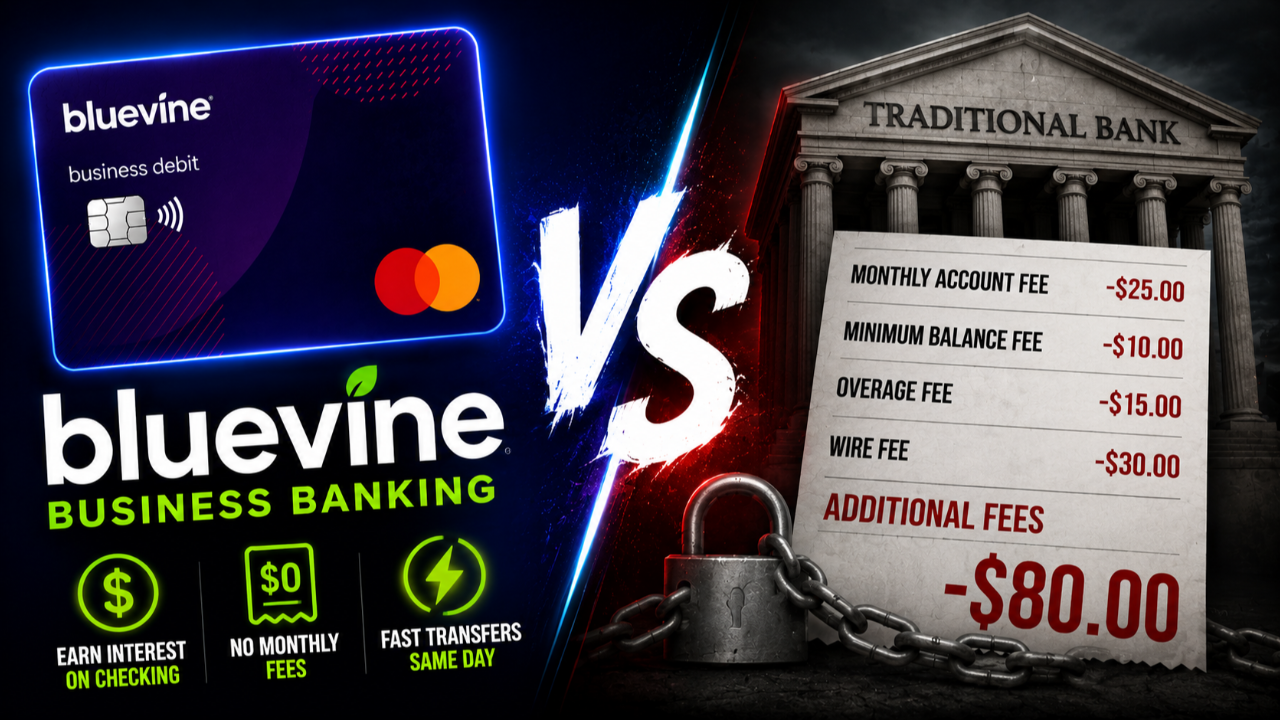
Bluevine is one of the business banking accounts I have actually used for years.
Not just tested.
Not just opened for a bonus.
Actually used.
I have kept my business banking relationship with Bluevine for about five years, and the reason is pretty simple:
It fits the way my business operates.
No branches.
No tellers.
No walking into a lobby hoping someone knows your name.
And for some business owners, that is exactly the point.
If your business already lives online, Bluevine can feel natural. But it is not perfect for everyone.
There are things it does really well, and there are a few things that can frustrate you if you do not understand the setup before opening the account.
Disclosure: This article may contain affiliate links, which means I may earn compensation if you click or apply through certain links.
Quick Answer
Bluevine Business Checking makes the most sense for online businesses, creators, consultants, agencies, service providers, and solo operators that want a digital-first business banking account with no monthly fee, interest on checking, sub-accounts, payment tools, and fast money movement. The biggest downsides are no physical branches, no Zelle, and the fact that you generally should decide your business entity first because switching from a sole proprietorship setup to an LLC setup may require opening a new account.
What Is Bluevine?
Bluevine is a digital-first business banking platform.
That means it is built for people who are comfortable managing their business money online.
It is not a traditional bank branch experience.
There are no local branches.
There are no tellers.
There is no lobby.
But if you run an online business, service business, agency, consulting business, creator business, or remote team, that may not matter.
Bluevine is built for the type of business owner who wants to manage cash flow from a dashboard instead of driving to a branch.
That is why I have stuck with it.
For how I run my business, the setup has been simple, clean, and easy to use.
Helpful resource: If you are comparing business checking accounts, you can check out Bluevine here and see whether it fits the way your business operates: https://calbarton.link/Bluevine
Bluevine Business Checking: The Foundation
Everything starts with the Bluevine Business Checking account.
This is the core product.
And this is where Bluevine does a lot right.
The biggest benefit is simple:
No monthly maintenance fee on the Standard plan.
That means no minimum balance games.
No “we waived the fee this month” nonsense.
No slow bleed on your cash just because you did not meet some random requirement.
That matters more than people think.
Especially as your business grows and your banking activity becomes more active.
Unlimited Transactions Matter
One of the things I like about Bluevine is that you are not penalized for moving money.
You can send ACH transfers.
You can receive ACH transfers.
You can pay vendors.
You can move money between accounts.
You can handle regular business activity without constantly worrying about transaction limits.
For active businesses, that matters.
Some older business banking accounts still feel like they were built for a different era.
Bluevine feels more aligned with how modern small businesses actually operate.
Earning Interest on Business Checking
One of the biggest reasons I originally chose Bluevine was the ability to earn interest on business checking.
Not a separate savings account.
Not money sitting off to the side.
The checking balance itself can earn interest if you meet the requirements.
On the free Standard plan, Bluevine currently offers around 1.3% APY on balances up to $250,000 if you meet a monthly activity requirement.
There are two main ways to qualify:
-
Spend $500 during the month using your Bluevine debit card
-
Receive or deposit $2,500 in eligible client payments during the month
That can include things like ACH payments, wires, mobile deposits from clients, or payouts from your payment processor.
What does not count is just moving your own money around.
Transfers from your own accounts, sub-accounts, or cash shuffling generally should not be treated as client payments.
Personally, I qualify through the client payment route because revenue naturally comes into the account.
That is the ideal situation.
You do not want to force activity just to chase APY.
You want the account to reward the activity your business is already doing.
The APY Cap and Upgraded Plans
On the Standard plan, the interest rate applies up to the balance cap.
For many small businesses, that cap is plenty of operating cash.
If you keep more cash than that, Bluevine also has upgraded plans that may offer higher APY options.
The upgraded plans can go up to around 3% APY, depending on the plan and requirements.
But I would not choose a bank only because of the highest advertised APY.
You need to look at:
-
Monthly fees
-
Balance caps
-
Activity requirements
-
Payment tools
-
Transfer speed
-
Account usability
-
How the account fits your actual business
For me, the free Standard plan has been enough because I qualify naturally and do not need to overcomplicate it.
FDIC Protection Up to $3 Million
Another important feature is the deposit coverage.
Bluevine spreads eligible deposits across partner banks, which can provide FDIC insurance coverage up to $3 million.
That matters if you are holding real operating cash.
A lot of small business owners start out thinking $250,000 in FDIC coverage is more than enough.
But as revenue grows, payroll grows, tax reserves grow, and operating cash grows, that number can become more important.
If you are keeping large balances in a business account, extended FDIC coverage can give you more peace of mind.
Bluevine is a financial technology company, not a bank, so the banking services are provided through its banking partner and program banks.
That distinction is worth understanding before opening any fintech-style business banking account.
The Dashboard and App Are Why I Stayed
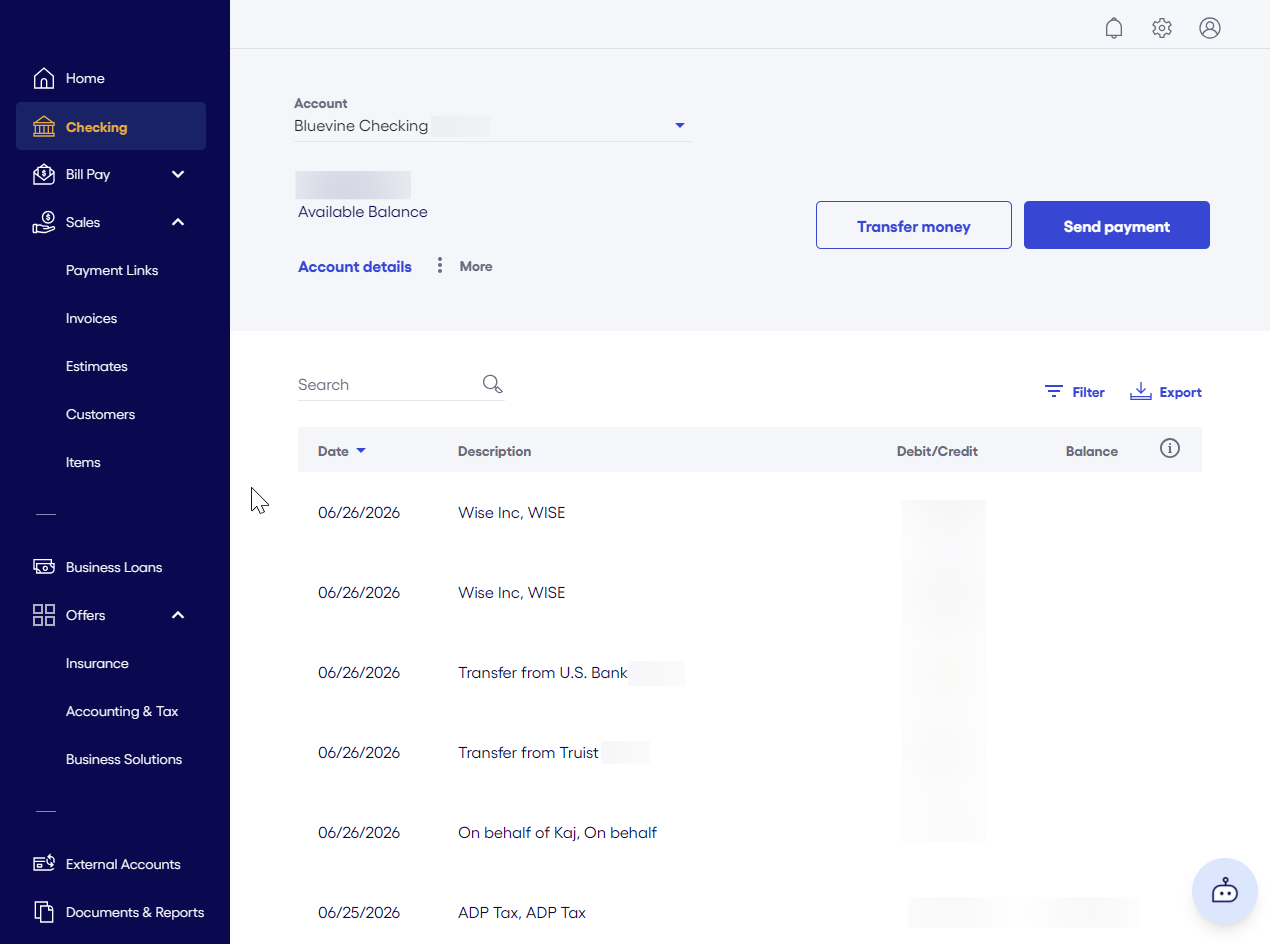
The dashboard is one of the main reasons I have kept using Bluevine.
It is straightforward.
Nothing feels overly complicated.
You can quickly see:
-
Where money came from
-
Where money went
-
What is pending
-
What has cleared
-
Which account or sub-account money is sitting in
That sounds basic.
But a lot of business banking apps still get the basics wrong.
When an app makes it hard to understand your own money, that becomes annoying fast.
Bluevine’s dashboard is not flashy.
But it is practical.
And that is what I care about.
Payments: Where Bluevine Has Leveled Up
Payments are one area where Bluevine has improved.
Inside the account, you can use tools like:
-
Unlimited invoices
-
Payment links
-
Card payments
-
ACH payments
-
Digital wallet payments
-
Funds landing directly into your checking account
That makes the account more useful than a basic place to park cash.
For some businesses, this can become part of the whole payment flow.
A client gets an invoice.
They pay.
The money lands in your business account.
That is clean.
Tap to Pay Is Actually Useful
One newer feature I like is Tap to Pay.
This lets you accept in-person, contactless payments directly from your phone.
No card reader.
No extra hardware.
No Square reader sitting in your bag.
This is not necessarily built for a retail store running a register all day.
But it can be useful for:
-
Consultants
-
Service businesses
-
Creators
-
Event vendors
-
Mobile service providers
-
Businesses that only take card payments in person sometimes
If you occasionally need to accept a card in person, Tap to Pay can be extremely convenient.
It turns your phone into the payment terminal.
That is a simple but useful upgrade.
Bluevine Cash Flow Tools
Bluevine also gives you tools that can help organize business cash flow.
You can use:
-
Sub-accounts
-
Auto-transfer rules
-
Team member access controls
-
Bill pay tools
-
Fraud and suspicious activity monitoring features
The sub-accounts are especially useful.
A lot of business owners struggle because all the money sits in one big pile.
Revenue.
Tax money.
Owner pay.
Operating expenses.
Software bills.
Payroll.
Everything gets mixed together.
Sub-accounts can help you separate those buckets so your business cash flow is easier to manage.
That alone can make the account feel more organized.
Bluevine Lending: Useful, But Not the Main Reason I Bank Here
Bluevine also offers business lending products.
That includes business lines of credit up to $250,000 and term loans through partner lenders up to $500,000.
Bluevine also says funding decisions can happen quickly, sometimes as fast as 24 hours depending on the product and approval.
That can be useful.
But I would not make lending the main reason to open Bluevine.
The main reason to open Bluevine is the banking experience.
The checking account.
The payment tools.
The dashboard.
The APY.
The account structure.
The lending side is more like an additional benefit if your business eventually needs funding and qualifies.
My One Real Frustration With Bluevine
Now let’s talk about the thing that genuinely frustrated me.
I opened my Bluevine account as a sole proprietor.
To be fair, that is actually a huge plus for many people.
Some business banks make it harder if you do not have an LLC or corporation.
Bluevine being accessible to sole proprietors can be helpful.
But here is where I made the mistake.
I formed my LLC shortly after opening the account.
And Bluevine did not let me simply convert my sole proprietor account into an LLC account.
I would have needed to open a brand-new account.
That means:
-
New account setup
-
New account history
-
New relationship structure
-
New banking details
-
More operational hassle
That was frustrating.
But to be fair, this is not really just a Bluevine issue.
Many banks treat a sole proprietor and an LLC as two different legal customers.
So switching from one to the other often means starting fresh.
Decide Your Entity Before Opening the Account
This is the biggest lesson I would give new business owners.
Decide your entity first.
If you know you are forming an LLC soon, it may be better to wait, form the LLC, get your EIN, and then open the account correctly under the business.
That can save you headaches later.
If you are staying a sole proprietor, fine.
Open it that way.
But if you already know an LLC is coming, do not rush into the account setup just to redo it later.
The legal structure matters.
And it can affect how your banking relationship is built from day one.
Another Limitation: No Zelle
Bluevine does not currently support Zelle.
That will matter for some people.
If you rely heavily on Zelle for quick payments, client payments, or moving money between people, that can be annoying.
Personally, I just keep a secondary bank account for situations where I need Zelle.
And honestly, I think that is smart anyway.
Business owners should not rely on one banking relationship for everything.
Even if Bluevine is your main operating account, it is useful to have another bank account available.
A local bank can help with cash.
Another bank can help with Zelle.
A traditional bank can help with certain lending or relationship needs.
You do not need one perfect bank.
You need the right combination.
Money Movement Is an Underrated Advantage
One underrated reason I like Bluevine is the speed of money movement.
With fintech-style accounts like Bluevine, money can move faster than it does with some traditional banks.
When I link accounts through Plaid and initiate ACH transfers, I can often move money quickly.
For example, if I am doing an owner’s draw from my business account to my personal account, I can often start that transfer in the morning and see the money the same day or by the next day.
That has been a big quality-of-life benefit for me.
With some traditional banks, that same transfer may take two or three full business days.
During that time, the money feels like it is floating.
Not in your business account.
Not in your personal account.
Just stuck.
I hate that.
When I move money, I want it to move.
That speed matters for:
-
Owner’s draws
-
Paying yourself
-
Timing bills
-
Managing personal cash flow
-
Moving money between business accounts
-
Handling operating expenses
It is one of those things you may not appreciate until you go back to a slower system.
Who Bluevine Is Best For
Bluevine is best for business owners who run mostly online or digital operations.
It makes sense for:
-
Online businesses
-
Creators
-
Consultants
-
Agencies
-
Remote teams
-
Freelancers
-
Service businesses
-
Solo operators
-
Businesses that invoice clients
-
Businesses that get paid by ACH, wire, card, or payment processor payouts
If you rarely need cash deposits or in-branch services, Bluevine can be a strong fit.
It is especially useful if you want your operating account, payments, sub-accounts, and business cash flow tools in one place.
Who Bluevine May Not Be Best For
Bluevine may not be the best fit if you need:
-
Local branches
-
Regular cash deposits
-
Zelle
-
A traditional banker relationship
-
Complex treasury services from a major bank
-
In-person support
-
A bank that can handle every possible business need under one roof
That does not mean Bluevine is bad.
It just means it is not built for every business.
A restaurant that handles cash every day may need a local bank.
A construction company with complex lending needs may want a strong regional banking relationship.
A business that relies on Zelle may need another account.
That is why I would not use Bluevine as my only banking relationship forever.
I would use it as part of a smarter banking setup.
How I Would Use Bluevine Strategically
The smartest setup is simple.
Use Bluevine as:
-
Your operating account
-
Your revenue intake hub
-
Your payments dashboard
-
Your interest-earning checking account
-
Your sub-account system
-
Your day-to-day digital banking account
Then pair it with:
-
A local bank for cash
-
Another account for Zelle if needed
-
A traditional bank or credit union for relationship lending
That gives you flexibility.
Bluevine can do the heavy lifting for daily operations.
Another bank can cover the gaps.
That is usually better than trying to force one bank to be perfect at everything.
My Take After 5 Years
After five years, I still like Bluevine.
The reason is not that it does everything.
It does not.
The reason is that it does the things I care about well.
I like the dashboard.
I like earning interest on checking.
I like the sub-accounts.
I like the payment tools.
I like the speed of money movement.
I like not dealing with monthly maintenance fees.
And for the type of business I run, that matters more than having a local branch.
That is the real question for you.
Not “Is Bluevine the best business bank for everyone?”
The better question is:
“Does Bluevine fit the way my business actually operates?”
If your business is digital, service-based, remote, or mostly online, I think it is absolutely worth researching.
Frequently Asked Questions
Is Bluevine a bank?
Bluevine is a financial technology company, not a bank. Banking services are provided by Coastal Community Bank, Member FDIC, and Bluevine’s program banks.
Does Bluevine Business Checking have monthly fees?
Bluevine’s Standard business checking plan has no monthly maintenance fee, no minimum balance requirement, free standard ACH, and unlimited transactions.
Does Bluevine pay interest on business checking?
Yes. Bluevine’s Standard plan can earn 1.3% APY on balances up to $250,000 if monthly activity requirements are met. Upgraded plans may offer higher APY options.
Does Bluevine support Zelle?
No. Bluevine does not currently support Zelle. If Zelle is important to your business, you may want to keep a secondary account at a bank that supports it.
Can sole proprietors open Bluevine?
Yes, Bluevine can be a good option for sole proprietors. But if you plan to form an LLC soon, it may be smarter to form the LLC first and then open the account under the correct entity.
Does Bluevine offer business loans?
Bluevine offers business lines of credit up to $250,000 and term loans through partner lenders up to $500,000. Lending approval depends on the business and product.
Final Thoughts
Bluevine is not perfect.
No business bank is.
But after using it for about five years, I understand why it works for a lot of modern business owners.
The account is simple.
The dashboard is clean.
The Standard plan has no monthly fee.
You can earn interest on checking if you meet the requirements.
You get sub-accounts, invoices, payment links, Tap to Pay, and useful cash flow tools.
But you also need to understand the limitations.
No branches.
No Zelle.
Entity setup matters.
And it may not be enough by itself if your business needs cash handling, local relationship banking, or traditional lending support.
For me, the best way to use Bluevine is as the main digital operating account, paired with another bank for the things Bluevine does not do.
That is the cleanest strategy.
You do not need one perfect bank.
You need the right banking stack for how your business actually runs.